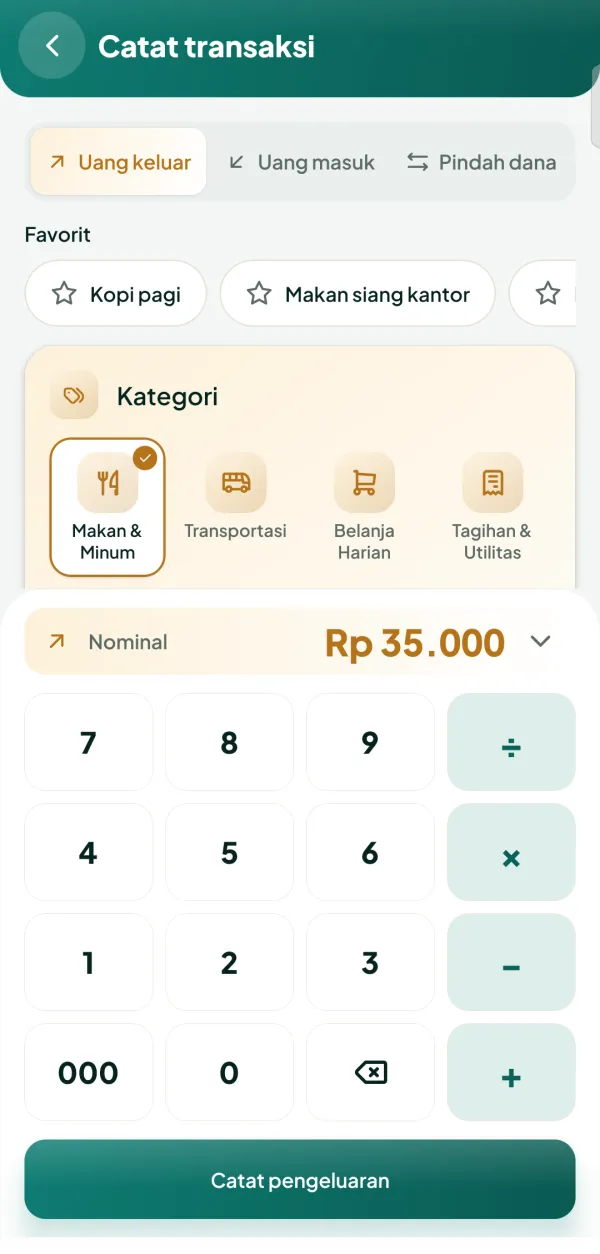
01 · Quick entry
Record in seconds
The screen you open most, so we made it the leanest. Pick a type, tap a category, type the amount, done. The save button sits within thumb reach.
- Big keypad with a built-in calculator (+ − × ÷)
- Money out, money in, and transfers between wallets
- Favorites: routine entries in a single tap
- Split one receipt across several categories
- Receipt photos, tags, shops/people, and free-form notes
02 · History
Every transaction, easy to find
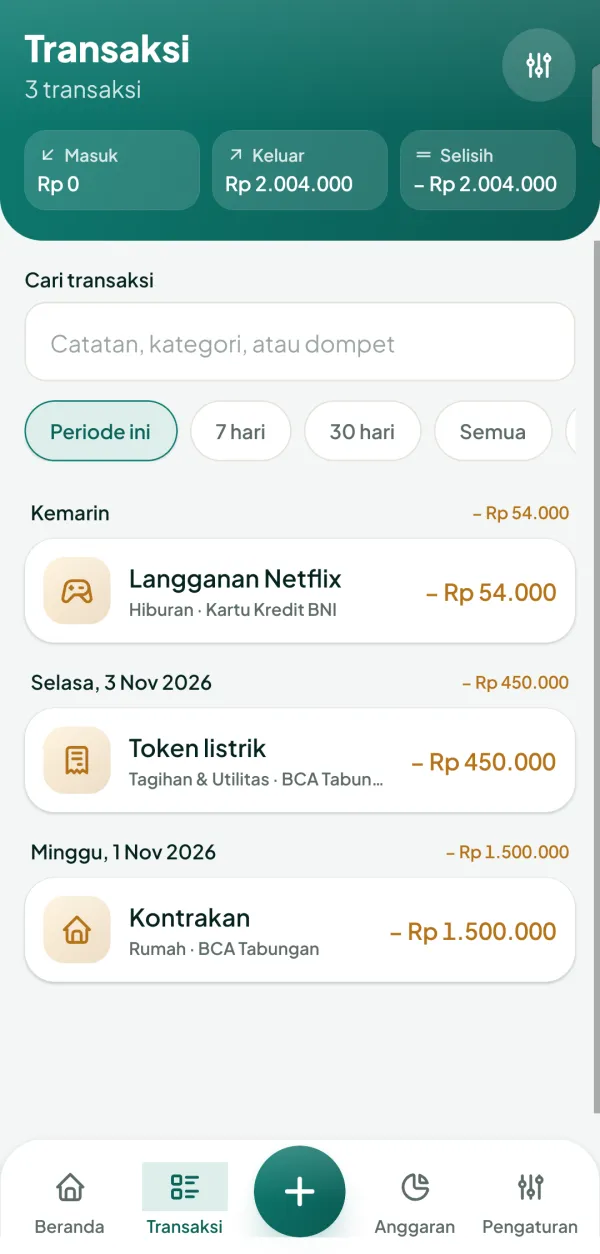
History is grouped by day with daily totals. At the top you instantly see money in, money out, and the difference.
- Search by note, category, or wallet
- Filter by period, 7 days, 30 days, or everything
- Made a mistake? Edit or delete anytime; the correction history is kept
03 · Wallet
Cash, bank, e-wallet, credit card
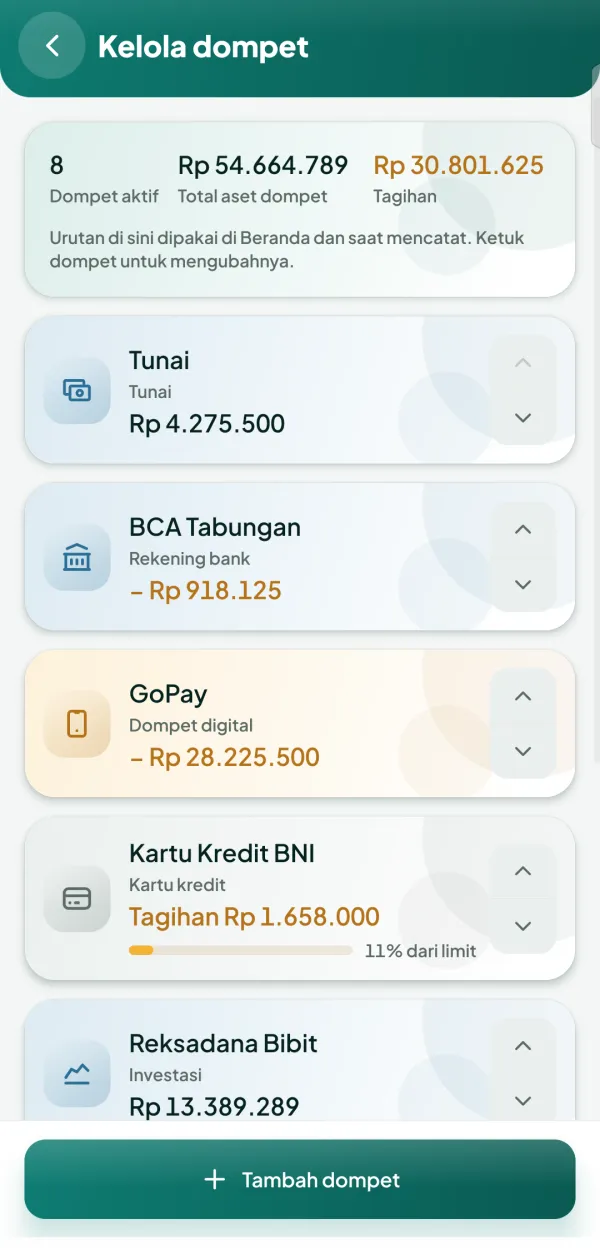
Create as many wallets as you have, no limits. Credit cards are treated as bills, complete with limit usage.
- Order them the way you like
- Total assets and credit card bills shown separately
- Adjust a balance when it differs from reality, without breaking your reports
04 · Budgets
Spending limits that follow your payday
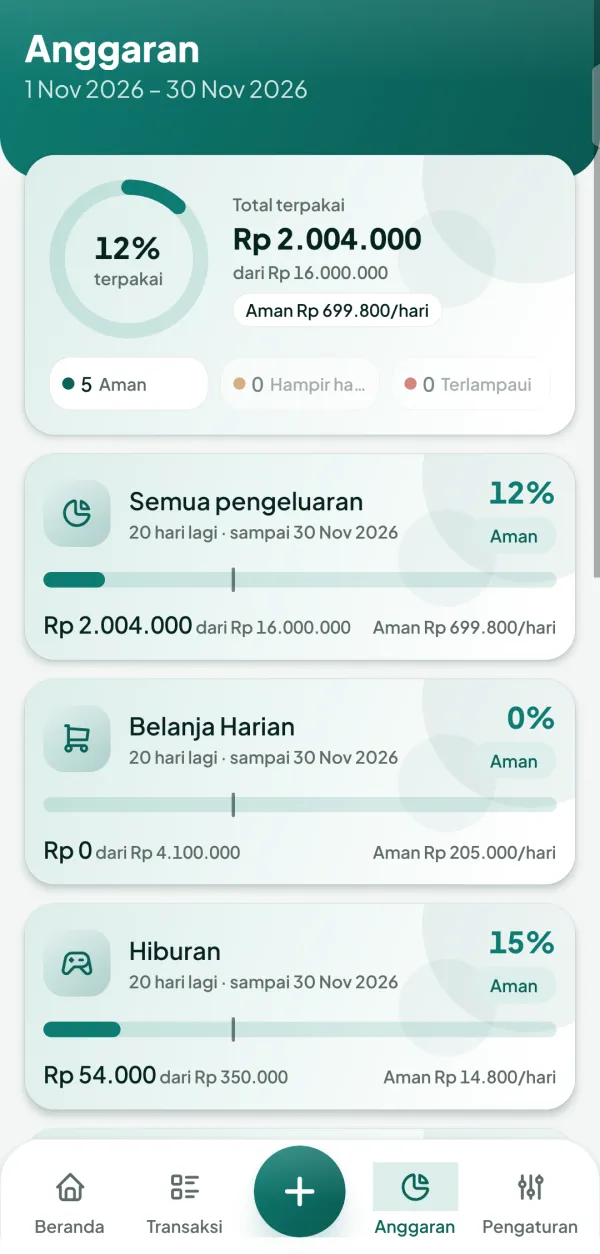
Set limits per category or for all spending. A period can start on your payday, not always on the 1st.
- On track, Almost used up, and Over budget statuses, always with a text label
- Safe daily allowance: how much you can still spend
- A today marker on the progress bar, so you know if you are spending too fast
05 · Reports
See where your money goes
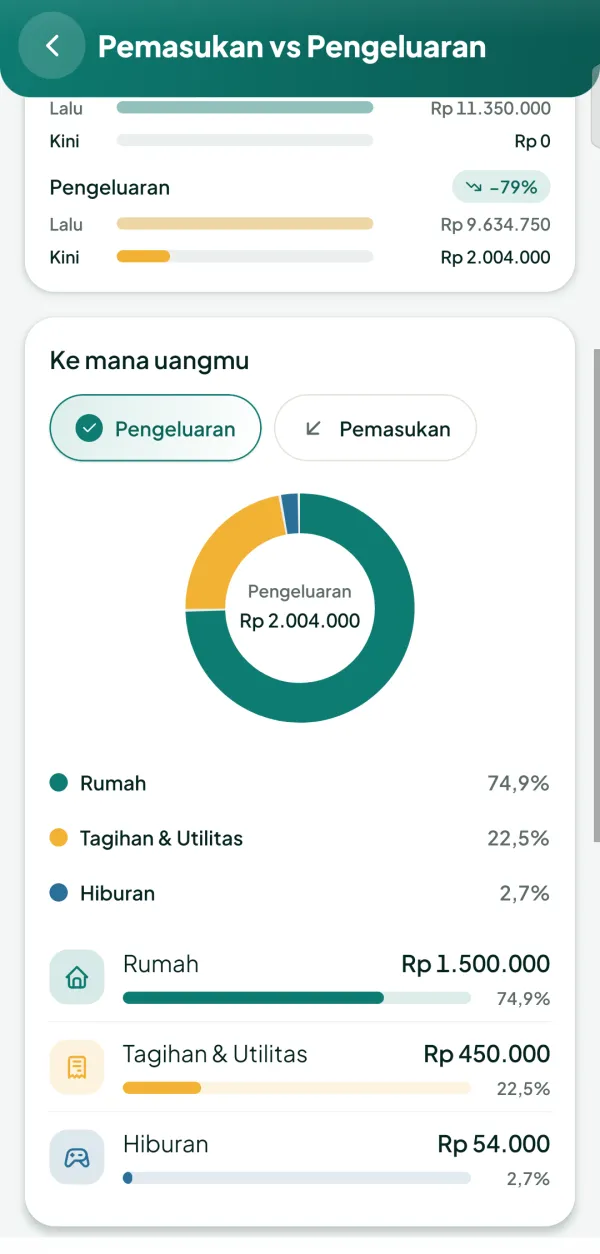
Daily, monthly, and yearly Income vs Expenses, compared with the previous period. Category breakdown in a donut and trends in a chart.
- Compared with last period: up or down by how many percent
- Where your money went: a category donut with percentages
- Daily trend and spending calendar
- Cash Flow: where money came from and where it went
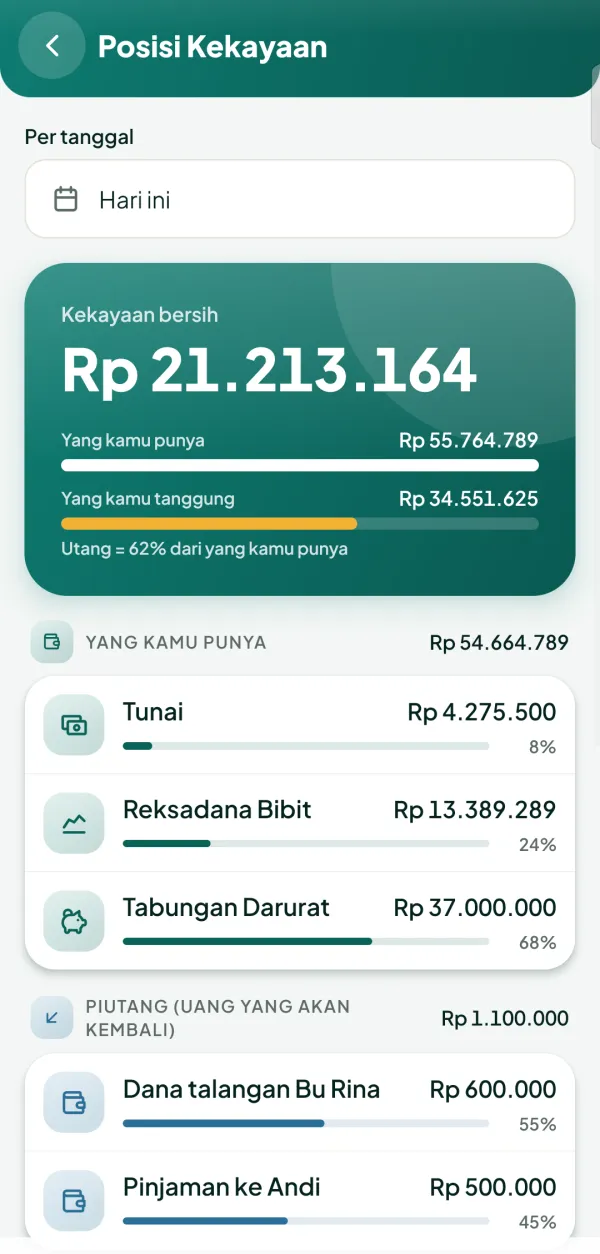
06 · Net Worth
What you own, minus what you owe
The most honest number: net worth. With a breakdown of wallets, receivables, and debts.
- View it as of any date
- Debt-to-asset ratio
- Receivables (money coming back to you) counted separately
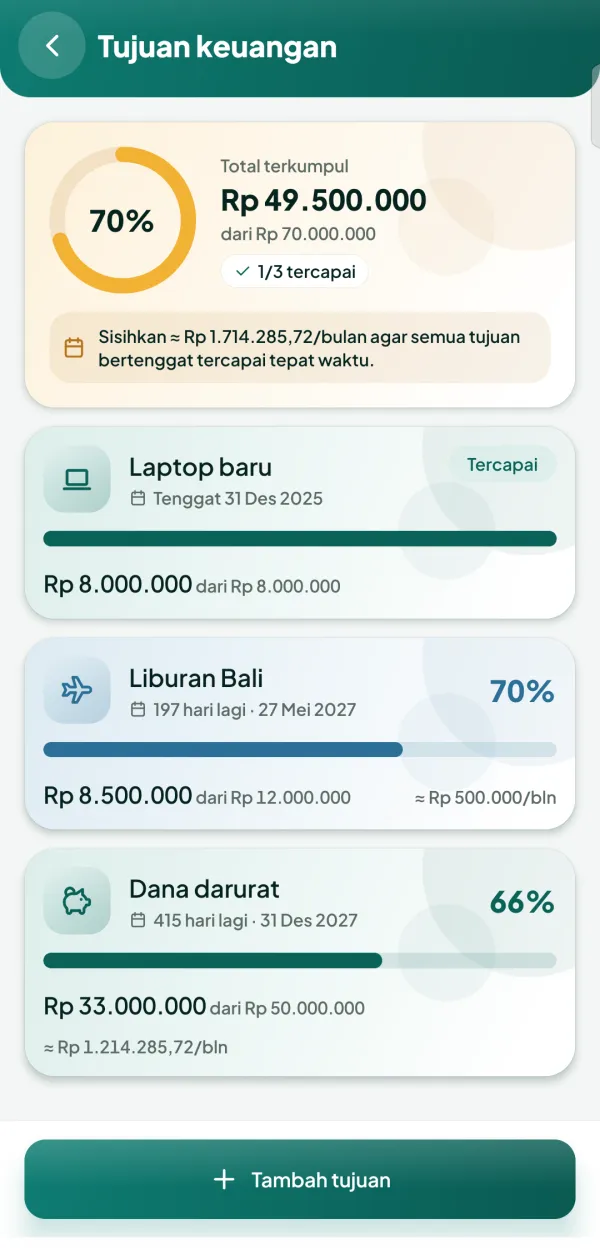
07 · Goals
Savings with a target and a deadline
A new laptop, a holiday, an emergency fund. Set the target and ArusHarian works out how much to set aside each month.
- Progress per goal and across all goals
- Suggested monthly deposit to finish on time
- Mark as reached when the target is met
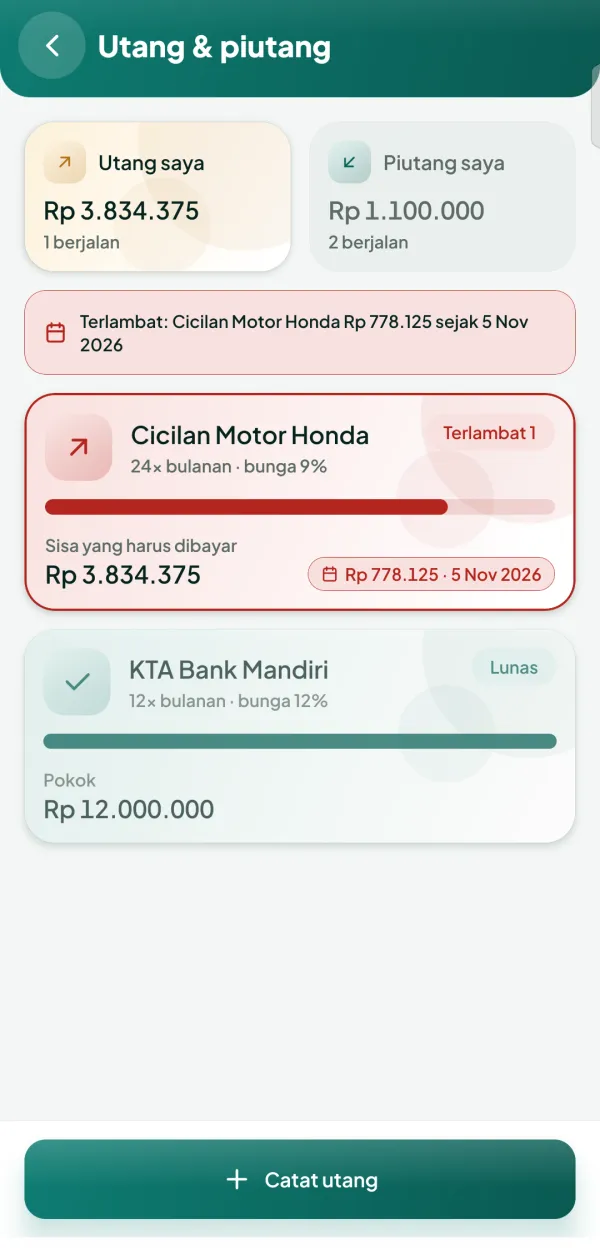
08 · Debts & receivables
No more forgotten debts or lost loans
Record who owes whom, with installment schedules and interest. Pay back in parts of any amount.
- Installments with no interest, flat, effective, or annuity rates
- Overdue markers and due-date reminders
- The remaining balance is always visible
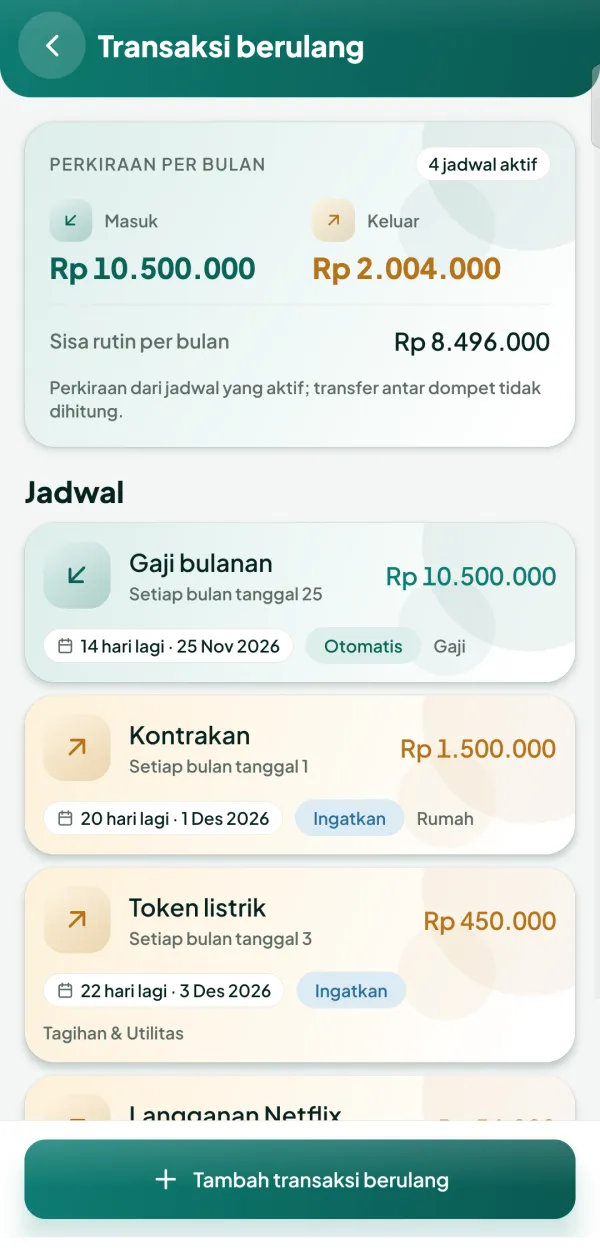
09 · Recurring transactions
Salary, bills, subscriptions: set once
Schedule routine transactions. Choose to record them automatically or just get a reminder to confirm.
- Estimated money in and out per month
- Every day, week, month, or year
- Transfers between wallets never count as spending
10 · Accounting Mode
For those who know bookkeeping
Behind every entry is a double-entry journal. Turn on Accounting Mode to see the general journal, ledger, trial balance, and period closing.
- Debits always equal credits, checked before saving
- Journals are immutable: corrections go through reversing entries
- Journal numbers are assigned when closing the period
- Off by default, so everyday users never see accounting terms